
Download PamFax – Secure Cloud Fax, Fast Document Sending, Free Trial
Overview
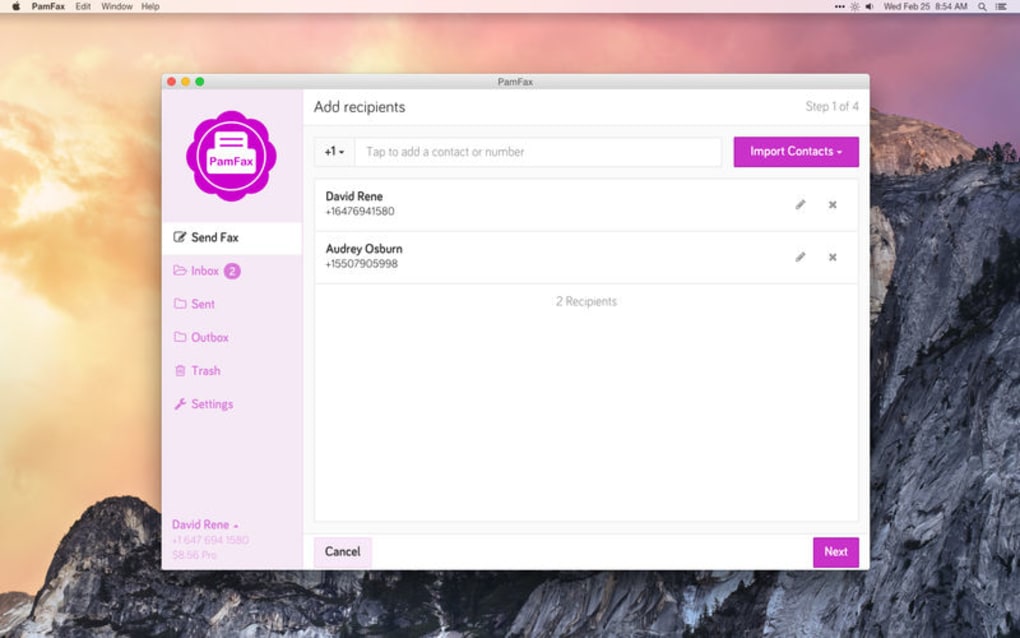
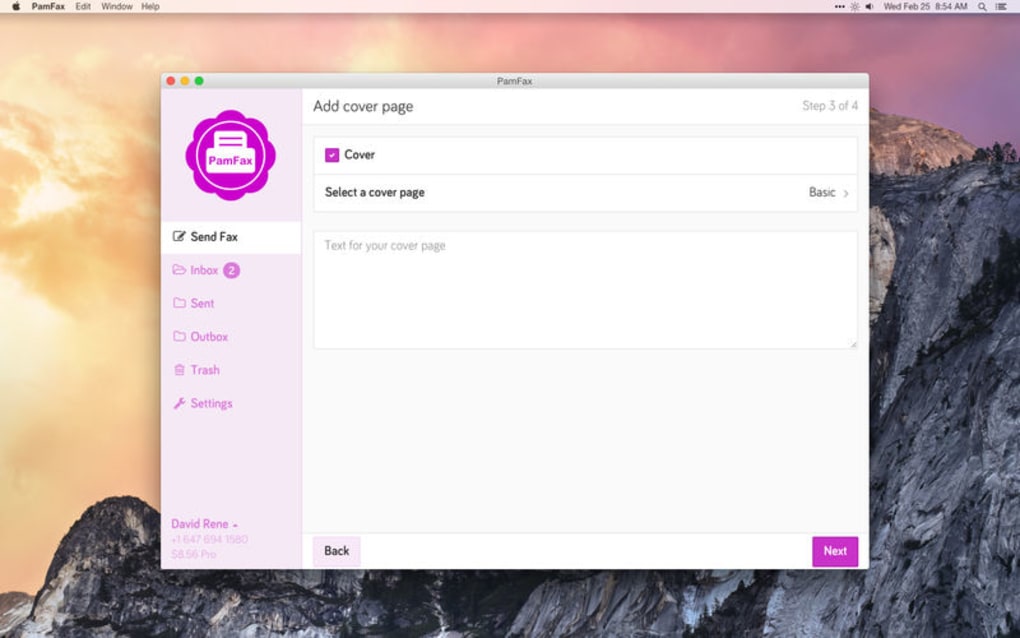
PamFax is a modern, cloud‑based fax solution that lets you send and receive faxes directly from your computer, tablet, or smartphone without the need for a physical fax machine or additional drivers. Designed for both individual users and businesses, PamFax turns any document—whether it lives on your hard drive, a network share, or a cloud service like Dropbox, OneDrive, or Google Drive—into a fax that can be delivered globally in seconds. The app offers a wizard‑style interface that guides you through setting up fax parameters, attaching cover pages, and scheduling deliveries, making the entire process feel as simple as sending an email.
Security is baked in; all documents are encrypted in transit and stored only as long as needed, eliminating the risk of paper‑based leaks. Whether you’re a road‑warrior who needs to fax on the go, a small business looking for a cost‑effective alternative to legacy fax lines, or an enterprise that must comply with strict data‑privacy regulations, PamFax provides a flexible, subscription‑based model that scales with your needs. With support for over 30 countries, a built‑in fax number management system, and real‑time notifications, PamFax positions itself as a reliable, “fax‑on‑demand” service that brings the old‑school reliability of fax to the speed and convenience of the cloud.
Key Features & Business Benefits
- Cloud‑Native Faxing: Send and receive faxes without a physical line; everything runs in the cloud.
- Multi‑Source Document Support: Attach files from local storage, Dropbox, OneDrive, Google Drive, or other cloud services.
- Custom Cover Pages: Choose from pre‑designed templates or upload your own branding for a professional look.
- Scheduled Fax Delivery: Queue faxes to be sent at a later date and time, perfect for time‑zone coordination.
- Secure Transmission: TLS encryption protects documents during upload, storage, and delivery.
- Global Fax Numbers: Access dedicated inbound fax numbers in 31 countries, enabling local presence.
- Real‑Time Notifications: Get instant alerts via email, push, or in‑app notification when a fax is sent, delivered, or failed.
- Fax Contacts Management: Store and organize frequent fax numbers for quick access.
- Multi‑Language Interface: Supports several languages, making it easy for international teams.
- Scalable Subscription Plans: Choose from pay‑as‑you‑go, monthly, or annual plans that include unlimited inbound pages.
Why PamFax Stands Out for Professionals
Traditional fax services often require dedicated hardware, phone lines, and manual handling of paper. PamFax eliminates these overheads by moving the entire workflow to the cloud, which translates into lower operational costs and faster turnaround times. For legal, healthcare, or financial firms that still rely on fax for compliance, PamFax offers a secure, auditable trail that satisfies regulatory requirements while avoiding the pitfalls of printed faxes. The ability to preview a fax before sending ensures that sensitive information is not inadvertently disclosed, and the built‑in cover page editor helps maintain brand consistency across all outgoing communications. Moreover, the integration with popular cloud storage platforms means that teams can fax documents directly from the same repositories they already use for collaboration, reducing context‑switching and boosting productivity.
Pros & Cons
- Pros:
- Easy-to-use wizard interface that requires minimal training.
- Secure, end‑to‑end encryption for all fax transactions.
- Supports a wide range of file formats, including PDF, DOCX, and images.
- Global inbound numbers enable local presence without extra infrastructure.
- Flexible pricing models suitable for freelancers and enterprises alike.
- Cons:
- Internet connection required; offline faxing is not possible.
- Some advanced features (e.g., bulk faxing) are limited to higher‑tier plans.
- Initial setup of inbound numbers may take a few minutes for verification.
Installation, Usage Guide & Compatibility
Step‑by‑Step Installation
- Visit the official PamFax website and click the Download button for your operating system (Windows, macOS, Android, or iOS).
- Run the installer (Windows) or drag the app to your Applications folder (macOS). Mobile users can install directly from Google Play or the Apple App Store.
- Launch PamFax and create a new account using your email address or sign in with Google/Apple ID.
- Choose a subscription plan or start with the free trial to test the service.
- Verify your inbound fax number (if you need one) by following the on‑screen instructions; the process typically takes under five minutes.
How to Send a Fax in Three Simple Steps
- Select Your Document: Click “New Fax,” then choose a file from your device or cloud storage (Dropbox, OneDrive, Google Drive). PamFax accepts PDFs, Word files, Excel sheets, and common image formats.
- Enter Recipient Details: Add the recipient’s fax number, optionally saving it to your fax contacts for future use. You can also add a custom cover page or select a template.
- Send or Schedule: Hit “Send Now” for immediate delivery, or pick “Schedule” to specify a later date and time. You’ll receive a notification once the fax is successfully transmitted.
Viewing Received Faxes
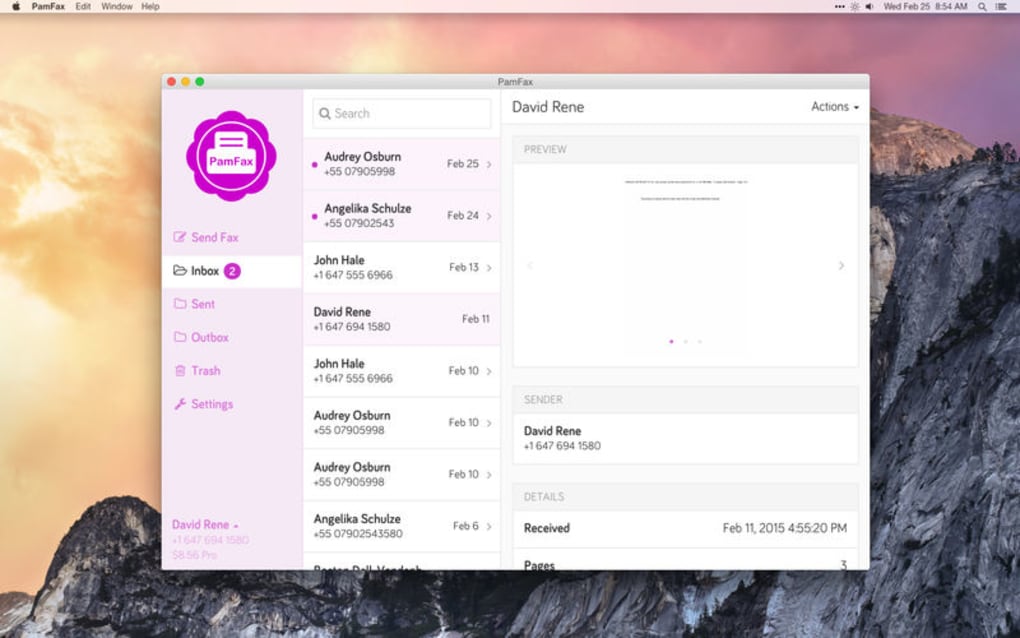
Incoming faxes appear in the “Inbox” tab of the app. Each fax is stored as a searchable PDF that you can download, forward via email, or save back to your cloud storage. The app also logs delivery status, timestamps, and any error codes, giving you full visibility into each transaction.
Compatibility (itemprop="operatingSystem")
PamFax is built to run on the major desktop and mobile platforms:
- Windows: Windows 10 and later (64‑bit).
- macOS: macOS 11 (Big Sur) and newer.
- Android: Android 7.0 (Nougat) and up.
- iOS: iOS 13 and newer (iPhone, iPad).
All versions share the same cloud backend, so your fax history syncs instantly across devices. This cross‑platform consistency is especially valuable for teams that work on a mix of desktops and mobile devices.
Frequently Asked Questions (FAQ)
Can I fax directly from Google Drive?
Yes. When you create a new fax, choose the Google Drive option, sign in with your Google account, and select the document you wish to send.
Is there a limit to how many pages I can send per fax?
PamFax does not impose a per‑fax page limit; however, very large documents may take longer to process. Your subscription determines the overall monthly page allowance.
How secure is the transmission?
All data is encrypted with TLS 1.2 during upload, storage, and delivery. PamFax also complies with GDPR and HIPAA (for eligible plans), ensuring that sensitive information remains confidential.
Can I receive faxes on my own phone number?
Yes. PamFax provides virtual inbound numbers in 31 countries. You can select a number that matches your business location, and all received faxes will appear in the app as PDFs.
What happens if a fax fails to deliver?
You receive an instant failure notification with an error code. The app allows you to retry automatically or edit the fax details before sending again.
Conclusion & Call to Action
PamFax bridges the gap between legacy fax requirements and modern, cloud‑first workflows. Its intuitive wizard, robust security, and global reach make it a compelling choice for anyone who still needs to fax documents but wants to avoid the hassle of traditional hardware. The flexible pricing model means you can start with a free trial to evaluate the service and then scale up as your fax volume grows. Whether you’re a solo entrepreneur needing a reliable way to send contracts, a healthcare provider complying with HIPAA, or an international corporation that requires local inbound numbers, PamFax delivers the speed, security, and simplicity that modern businesses demand.
Ready to experience faxing the way it should be? Download PamFax now, start your free trial, and say goodbye to clunky fax machines forever. Your documents deserve a secure, fast, and paper‑less delivery method—PamFax provides exactly that.
PamFax offers a seamless, secure, and globally accessible fax solution that outperforms many traditional services. The only drawbacks are the need for an internet connection and limited bulk‑fax features on lower‑tier plans, but overall it delivers excellent value for both individuals and enterprises.







